


I’m not superstitious… but I am a little stitious about Slack alerts.

We've all been there. In the trenches.....of Slack. Slack alerts are supposed to help.Instead, most of them feel like a scene from The Office.
Everyone’s talking.
No one’s listening.
And someone (usually Sales) is quietly muting the channel.
Too many fields.
Too much context.
Not enough signal.
So we fixed it.
You can now customize what shows up in your Vector → Slack notifications.
Same event.Very different Dwight energy.(You’ll see it immediately in the screenshots.)

What's new: Customizing Slack notifications
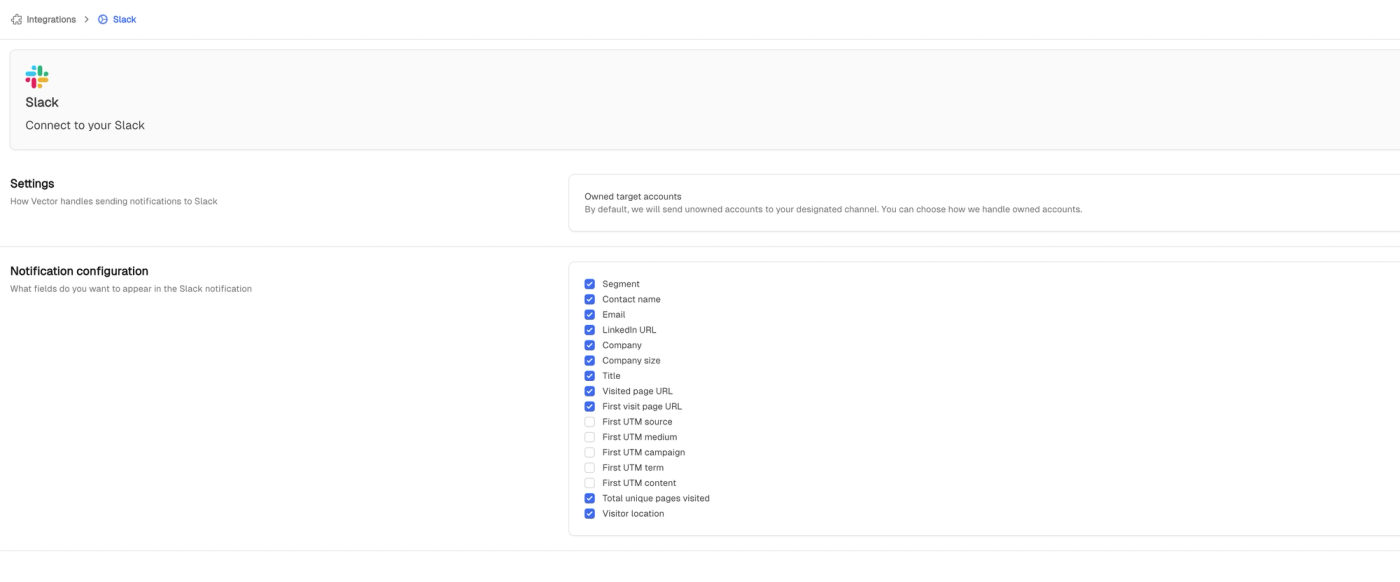
You can now customize what shows up in your Vector → Slack notifications.
Want just the segment?
Only route alerts when someone actually qualifies?
Keep Sales informed without overwhelming them?
Cool. You’re in control now.
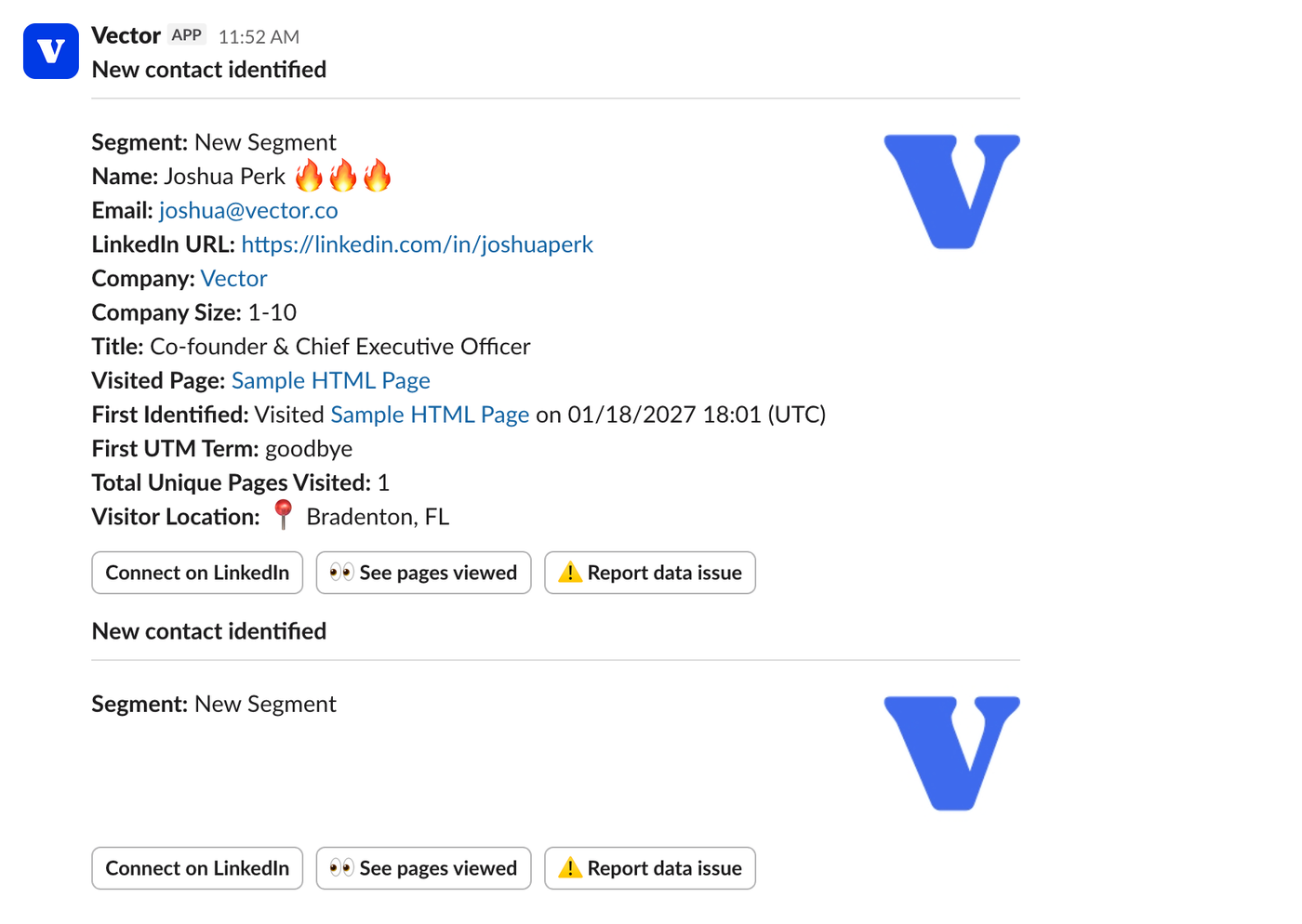
Why this matters
Most paid clicks never convert and most teams treat that as a dead end.
But the real problem isn’t the click.
It’s what happens after.
Traditional routing sends every interaction into Slack or CRM.
Sales gets flooded.
Important signals get buried.
Alerts get ignored.
Not all signals are equal and not every click deserves a handoff.
Custom Slack alerts let you surface only the moments that matter, so Slack stays actionable instead of noisy.

With customizable Slack alerts, you decide:
- What qualifies as signal
- Who needs to see it
- How much context they actually need
Think:
- Clean segment-only alerts for shared channels
- Rich contact + campaign context for Sales
- High-signal pings for founders, not activity spam
Slack becomes a signal stream, not a noise machine.
Less “FYI.”
More “oh — this matters.”
Slack-first mini playbook
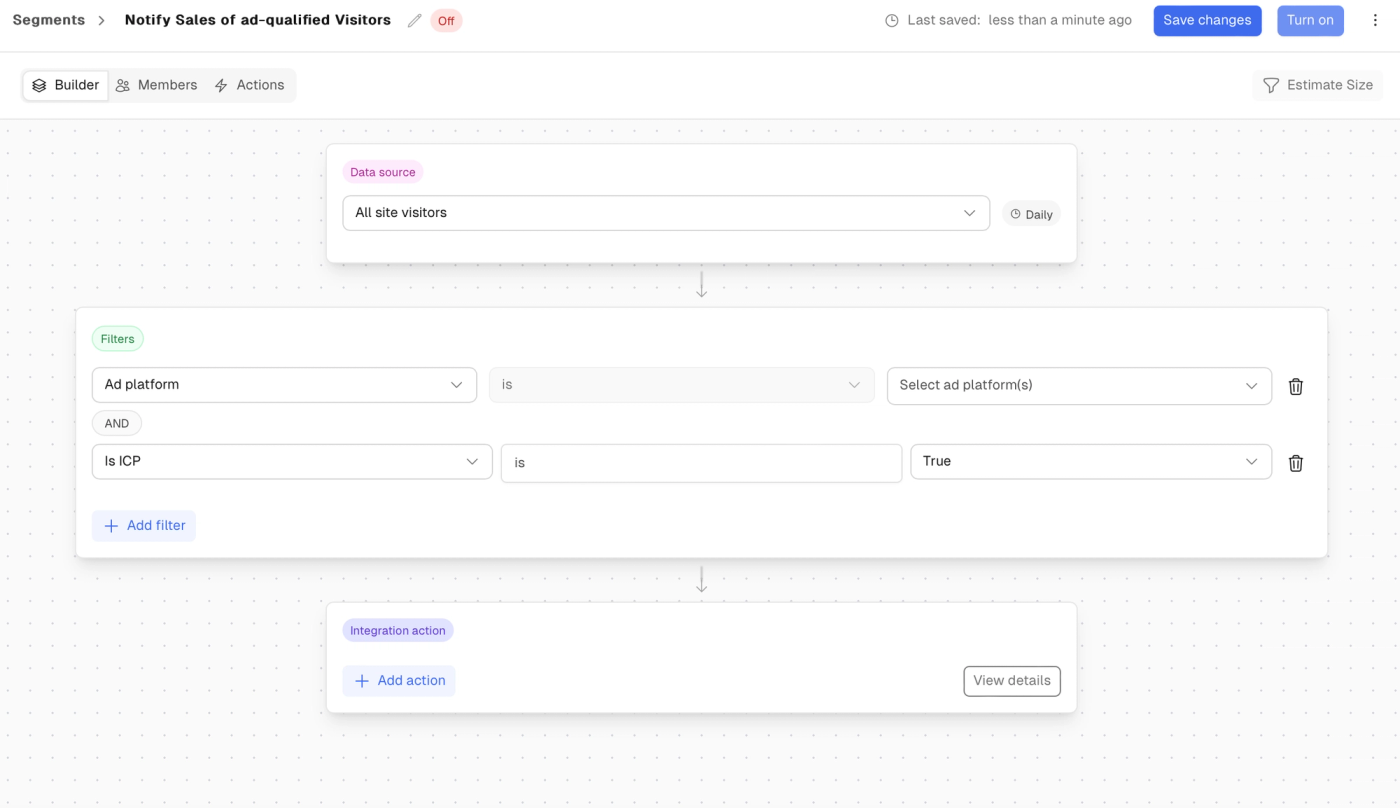
Step 1: Define what’s actually Slack-worthy
Not every interaction earns attention.
Good criteria usually include:
- Multiple engagements (not one-offs)
- Clear ICP fit
- Buyer behavior that shows intent, not curiosity
If Dwight wouldn’t care, it probably doesn’t belong in Slack.
Step 2: Build a qualifying segment in Vector
Example logic:
- 2+ ad engagements in 14 days
- ICP match (title, company size, region)
Label it clearly:
Ad-Qualified – Paid Media
No mystery. No vibes.

Step 3: Customize the Slack message
This is the new part — and the game changer.
You choose what appears:
- Segment name only (for visibility)
- Full contact + company + campaign context (for action)
No extra fields.
No scrolling.
No “why am I seeing this?”
Same signal.
Right-sized context.
Step 4: Route with intention
Send alerts where they actually make sense:
- Sales channels for follow-up
- Marketing channels for insight
- Leadership channels for high-confidence moments
Slack stops being the break room chatter
and starts acting like the bullpen.
When to use this play
This approach is especially useful when you want to:
- Keep Sales informed without overwhelming them
- Align paid media engagement with real qualification rules
- Trigger outreach that feels contextual, not random
- Reduce CRM noise and Slack fatigue at the same time
Or, in Office terms:
Less chaos.
More Jim looking at the camera because yes, this makes sense.

What success looks like
✅ Fewer Slack alerts, higher trust
✅ Sales acts instead of muting
✅ Marketing surfaces real buyers, not random clicks
✅ Paid media turns into meetings, not noise
Slack doesn’t need more alerts.
It needs better ones.
Qualify before you route.
Be Assistant to the Signal, not Assistant Regional Manager of noise.