


You know that moment right after you search something like “best running shoes” or browse Nike’s website for five minutes, and then before you know it you’re seeing ad after ad for sneakers?
For the next week, shoe ads follow you everywhere you go. There is no escape…
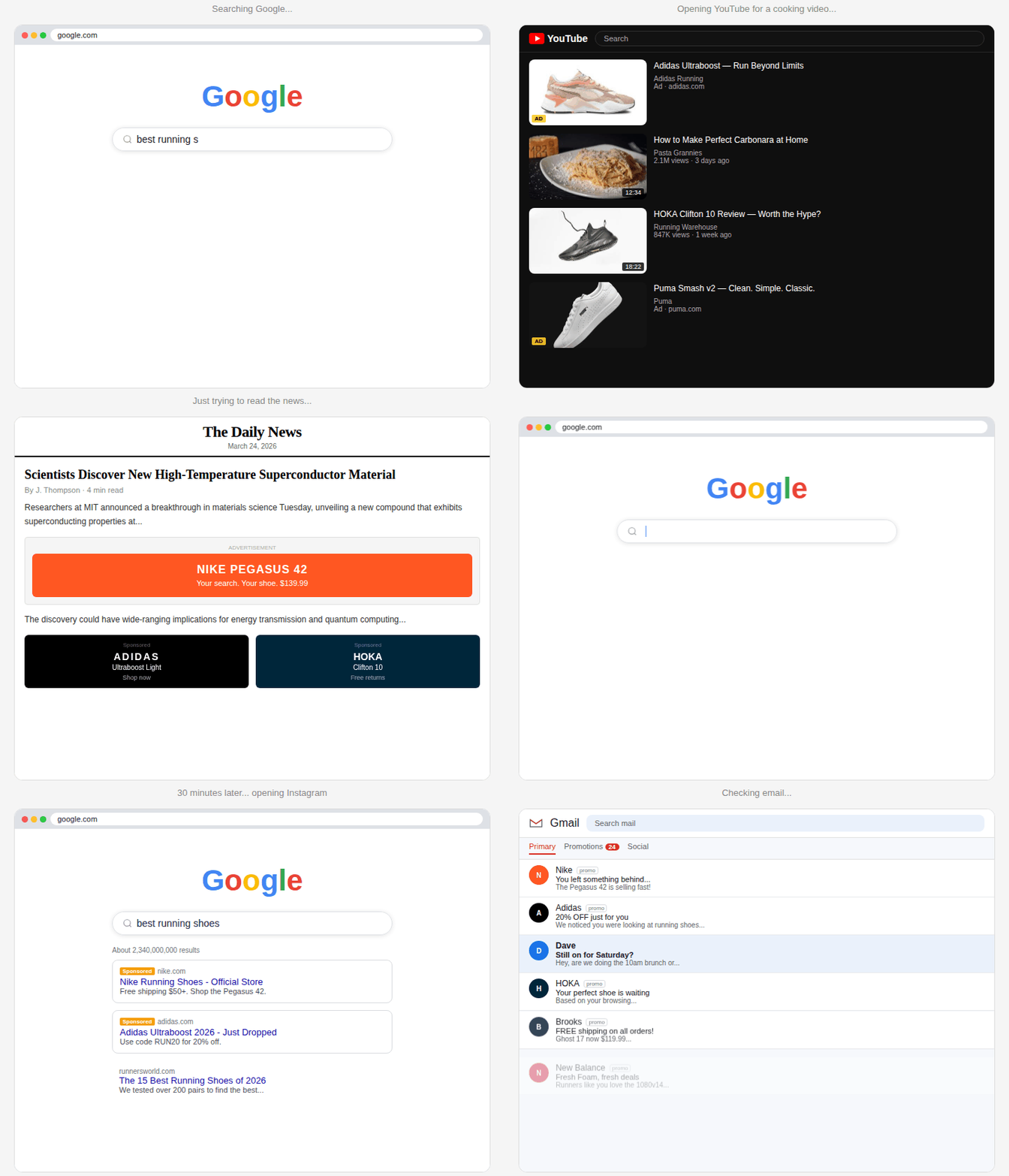
We call it surround sound marketing. That approach is the gold standard in B2C. But what if you could do the exact same thing—a hyper-targeted strategy, everywhere your buyer looks—in B2B?
That’s exactly what we set out to test.
Enter: B2B surround sound. 🔊
The hypothesis
Our theory was simple: surround sound + sharp creative + contact-level targeting = pipeline, baby.
Surround sound means showing up across multiple formats with the same audience at the same time.
How is that possible in B2B?
It requires precise targeting. Today, the best-in-class B2B companies use tools or native controls for targeted campaigns. Many use ABM platforms, which really only allow you to orchestrate your campaigns around account-level targeting. Inevitably that means your ads are reaching irrelevant people—and sometimes straight up bots or strangers who don’t work for the company.
Vector lets you do it at the contact-level. That contact-level precision ensures you’re reaching the right people who are in charge of making the buying decisions.
The unlock for B2B surround sound is one targeting layer that extends across every campaign and channel simultaneously. Define the audience once, then put it to work everywhere your buyers are.
The campaign setup
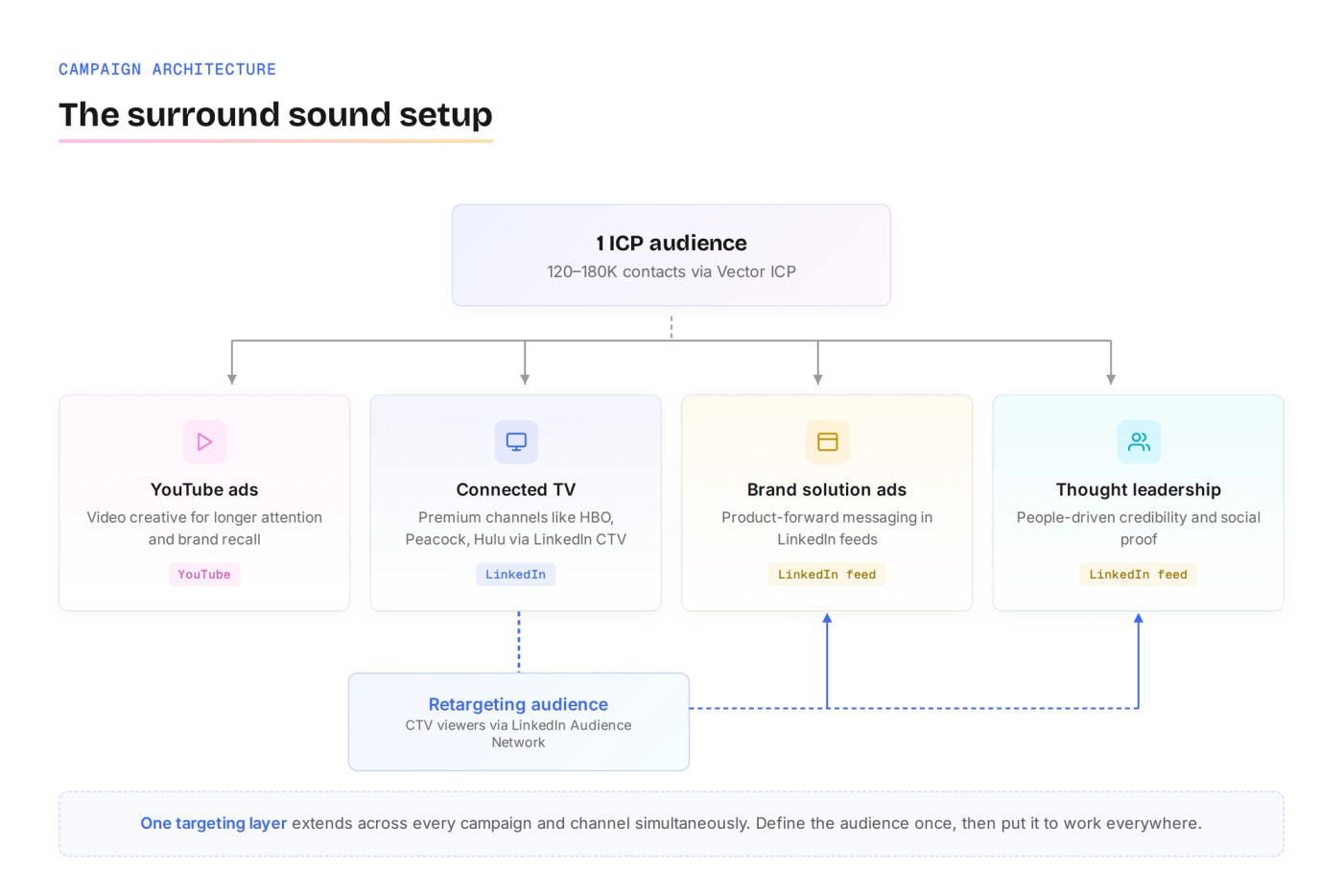
One ICP audience.
Four campaigns.
Killer creative.
That’s what this play boils down to.
We started by defining our audience with our ICP Builder. Vector’s persona graph contains hundreds of millions of contacts—we took that and pulled contacts with titles that matched our core buyers to source the audience that everything would run against. We aimed for a 120-180K target audience size to optimize for spend and reach.
Then we targeted that audience across four campaigns:
- Connected TV via LinkedIn: Most people don’t know you can run CTV through LinkedIn. The advantage is you get to apply Vector’s hyper-targeted audiences, then layer on native controls for an extra level of precision. We used inclusion and exclusion lists to hand-pick premium channels that we knew would provide the best kind of brand recall and affiliation (like HBO, Peacock, and Hulu).
- YouTube ads: Same audience, same creative. We ran our video creative here to catch buyers in a different context that naturally supports longer attention spans and stronger brand recall.
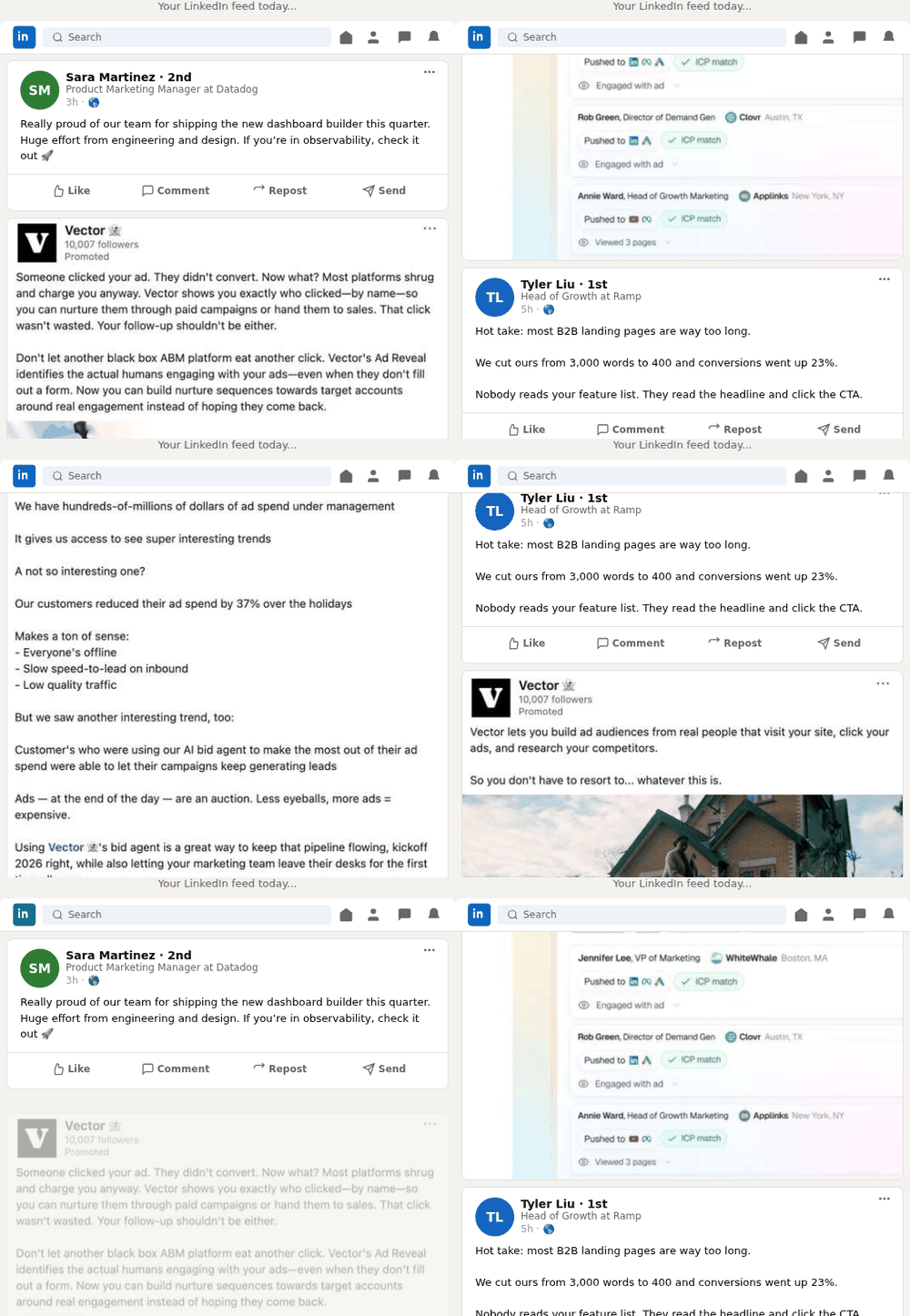
- Brand solution ads: While CTV and YouTube built awareness, brand solution ads showed more of what Vector actually does with product-forward messaging. These ads showed up on the same audience’s LinkedIn feeds.
- Thought leadership ads: People buy from people, making thought leadership ads a natural complement to the other campaigns. These ran on LinkedIn alongside everything else to provide a powerful element of social proof and credibility.
The retargeting loop
We didn’t just let our CTV audience stop there. Instead, we used it as a retargeting signal.
LinkedIn CTV delivers directly to the ICP audience you build, but it also augments it. LinkedIn Audience Network is turned on by default to ensure your campaign delivers with the budget and bidding you’ve set up. So, your segment also acts as signal to pull in lookalike contacts slightly outside your defined audience.
We leaned into that, but kept our native LinkedIn audience filters tight around our desired ICP to control the drift. Then—and this was crucial—we built a retargeting list from everyone who saw our CTV spots and fed them straight back into our brand solution and thought leadership campaigns.
This extra step helped us turn passive viewers into a warmed-up audience we could nurture with additional content to move them down the funnel.
Remember: in B2B, creative is king 👑
If you’re going to show up everywhere, you better be worth paying attention to. You can spend a lot of time, money and energy optimizing campaign strategy and structure (and you should!). But if the creative is flat, the campaign will fail. Make the time someone spends to stop the scroll worth it.
The creative for this play centered around four short videos we paid $35K to develop with an agency partner. The Vector brand is quirky, humorous, and slightly irreverent—so we made sure these spots hit that same tone.
The concept: Marketers will go to any lengths to get in front of their audience.
Watch them here:
- Warm water, warm leads (my personal favorite)
- Carry on outreach
- Hedge-level targeting
- Ad waste management (best performer)
Before we spent a dollar on paid, we tested how these videos would land with our audience. They performed well organically on LinkedIn and YouTube, giving us the confidence to use them as the foundation of our surround sound campaign.
The results
After running this campaign for six weeks, we saw:
- +34% net new traffic: not returning visitors, but people who hadn’t found us before.
- +22% sales demo requests: hand-raisers who saw the ads and decided they wanted a conversation, not just MQLs who downloaded something.
- +41% pipeline month over month: actual revenue opportunity in the funnel.
On the CTV side specifically:
- 27K reach across premium channels, with an average frequency of 2.8. Most prospects saw the ad nearly three times.
- $81 CPM, higher than the $40-60 you’d see on a standard CTV buy, but a worthwhile tradeoff for premium placements and a hyper-targeted audience. For a channel most B2B teams aren’t even running yet, the early mover advantage justifies the cost.
- ~32% YouTube completion rate, meaning nearly a third of viewers watched all the way through.

Many people think you need a huge budget to run a campaign like this, especially on premium channels, but we started seeing momentum after only $20k in spend. The campaign is mid-flight, but the early signal is clear: surround sound works, and it doesn’t require a monster budget to get started.
How to run this yourself
Want to give surround sound a whirl? Here’s how to get started:
- Start with the audience. Use Vector ICP to build a hyper-targeted list at the right scale (130-190K). This is large enough to get meaningful reach across channels, but tight enough to stay efficient with spend.
- Invest in the creative. This is not where you want to bargain shop. Budget for video with the kind of humor, narrative, and production quality that will make someone look up from their phone during the commercial break.
- Go multi-channel and multi-format simultaneously. Run CTV, YouTube, and LinkedIn feed ads (brand solution and thought leadership ads) against the same audience at the same time. That’s what creates the surround sound effect.
- Close the loop with retargeting. Build a retargeting list of CTV viewers and feed them back into your LinkedIn campaigns. CTV starts the conversation, then LinkedIn keeps it going.
- Control your placements. LinkedIn gives you access to roughly 1,000 CTV channels. Don’t rely on the defaults—use inclusion and exclusion lists to hand-pick premium channels that will give you the most bang for your buck.
- Measure what matters. Don’t focus only on impressions. Track net new traffic, demo requests, and pipeline, aka the numbers that tell you whether the campaign is actually working.
A few things to note
- Runs on Brand Awareness only. LinkedIn CTV requires Brand Awareness campaign objectives with LinkedIn Audience Network enabled.
- Layer additional targeting controls. Make sure your audience stays within your buyer committee by adding targeting filters on top of your core ICP.
- 1,000+ channels available. Use brand inclusion and exclusion lists to control exactly where your ads appear.
- Expect higher CPMs. Combining ICP hyper-targeting with premium channel selection will land you around $65 CPM. The trade-off is worth it.
- Lean on your LinkedIn rep. They can pull placement reporting, total reach, and percentage of your target audience reached.
- Build a CTV retargeting audience. Capture anyone in the buyer committee who wasn’t in your core ICP audience and fold them back into your other campaigns.
- Suggested budget of $30-60K per campaign. But we started seeing early momentum around $10K in, so don’t let budget be the reason you don’t start.
- Budget for actor renewal rights. If you work with an agency or studio, renewal rights are a separate cost and depend on placement (ours ran around $6K).
- Optimize for reach. Set a frequency cap of 5-7 impressions per week to build familiarity without creating fatigue for your audience.
Want to hear the full breakdown? I walked through this entire play live on a recent webinar. Watch it here →
And keep in mind: the surround sound strategy only works if the audience underneath it is precise. Most B2B teams are building from stale lists, broad demographic filters, and platform-native guesses, which is why match rates are low and the right people never see your ads.
Vector solves for this. Using Vector's database of 300 million verified contacts, you can build a hyper-targeted, contact-level audience from scratch. From there, Vector keeps it synced live to LinkedIn, Google, and Meta automatically.
That’s the unlock: Define the audience once, and keep every channel running on the same foundation.
Frequently asked questions
What was your total quarterly budget for campaigns?
$60K. We plan to increase spend next quarter (by nearly double) due to the early results of this quarter’s campaigns.
What was your total spend for this campaign?
~$34K so far (not including video production).
How much of that was spent on LI CTV, and over what duration?
~$15K on CTV for 6 weeks so far.
How much did you spend on creative?
We spent $35K on four videos and $6K on CTV-specific talent agreements.
How long was the turnaround for creative?
~3.5 months in total. Concepts in August, script writing in September, production and post-production in October, and videos live in November.
How did you target a B2B audience on YouTube?
Create an ICP audience in Vector, sync to Google Ads. Then, set up a Video Campaign on Google Search. During setup, you can choose Vector segments from the “Your data” section.
Alternatively, if you already have a campaign running, select the Campaign > Audiences, keywords and content > Select Audiences > Edit audience segments > Your data > Browse > Customer lists > Select your Vector segment. Get more information on audiences in Google Ads here.
Isn’t there a minimum spend on LinkedIn CTV?
$30-$60K is recommended for CTV ads, but there is no minimum spend. There are minimum spending limits for brand lift tests and CTV select for premium advertisers. You can find more information about CTV specifications or CTV Select and Brand lift tests here.
Why not use a cheaper CTV platform (like MNTN, Vibe, etc.)?
One of the benefits of CTV on LinkedIn is the targeting options you get within LinkedIn Campaign Manager. Those targeting options are impactful at the account level, and extremely powerful at a contact-level using Vector.