


There are two kinds of demand gen plays:
The kind you proudly tell your mom about at Thanksgiving dinner when she asks what you’re up to at work (like this surround sound play that turned $15K into 41% more pipeline).
Then there’s the kind you speak about in hushed tones over a glass of whiskey while you sit on the back porch with your uncle as the night’s winding to a close.
This one’s the latter. Here’s what happened when we turned Google Search into a display campaign. (Spoiler alert: it’s working.)
The hypothesis
Our hypothesis was: Search as display + non-brand intent + contact-level targeting = demos, baby.
And we had to break a few rules to prove it.
With a Google Search campaign, you’d normally use phrase match or exact match to appear only for searches closely related to your product. Headlines and landing pages match the keywords you’re targeting. The tighter the intent match, the better.
This play flips that framework on its head. Bidding on broad match keywords, we’re showing up in searches where we may not be the direct answer but are close enough to the world our buyers live in to make the impression count. Instead of tailoring our ads to the user’s question, we treat these as display touches that put brand-level messaging in front of buyers while they research adjacent problems.
Two things make this possible:
- Contact-level audience: Vector’s ICP Builder helped us build an audience of verified contacts matching our ICP, giving us the guardrails to run broad match while still reaching our actual buyers.
- Website de-anonymization: With Vector's website de-anonymization, we can see—by name—who's clicking on our ads. That allows us to send personalized outbound and create meaningful touchpoints with ICP contacts.
By combining broad match volume with ICP-only audiences, we can effectively turn a search campaign into a display campaign. The visibility of display ads paired with the active engagement of search ads, supercharged by de-anonymized clicks? Chef’s kiss. 👌
The campaign setup
There are three parts to this campaign, each feeding into the next:
1. Building the audience
For this campaign to make sense, it all starts with the ICP audience, and you need to go BIG. We used Vector’s ICP Builder to pull contacts with titles matching our core buyers, starting with a broad audience of 536,000 contacts.
That sounds massive, but it shrinks fast. Match rates sit around 40-45% when you sync a Vector audience to Google, and your reachable pool gets even tighter once you layer in 30-day activity windows. So the broader you start, the more reach you’ll actually get once the audience is whittled down. (Vector recently increased audience size limits to 3 million, so there’s room to push this even further.)
2. Setting up the Google Search campaign
Broad audience? Check. Broad match keywords? You betcha.
For us, that meant bidding on keywords like:
- Retargeting
- Ad tech
- Reddit Ads
- LinkedIn Ads
To manage relevancy, I monitored the campaign daily to exclude keywords that didn’t make sense for us. Part keyword research, part gut instinct—if it felt off-base or landed in B2C territory, I cut it.
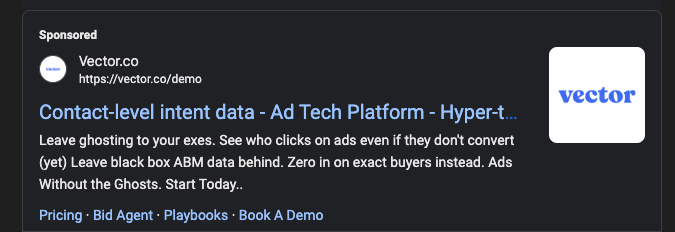
3. Closing the loop with outbound
Vector’s website de-anonymization allows us to see exactly who landed on our site—by name, title, and company—so we can create a timely outbound touchpoint.
Once an ICP contact clicked on an ad, we took a screenshot of their card and sent a warm, lightly personalized message.
It’s a simple play: getting your brand in front of your ICP audience at a broad scale, then using the click-through data to reach out while the brand is still top of mind.
The results
So far, this campaign has produced:
- 8 sales demo requests at a $388 cost per lead
- $36K in sourced pipeline
Something to note: The math on a campaign like this can warp pretty quickly. CPCs were 4-5x higher and CTRs about 3-5% lower than other brand campaigns. But those aren’t the metrics that matter. Ultimately, we’re optimizing for meetings booked and pipeline, and the early signal is strong—especially when you consider what this might look like at scale and when combined with surround sound plays running at the same time.
How to run this yourself
If you’re in the mood to try this unhinged play yourself, here’s how to get started:
- Start with the audience. Use Vector’s ICP Builder to create as large of a hyper-targeted ICP list as possible. Remember, match rates on Google are up to 45%, but active users within the last 30 days are much lower.
- Craft brand headlines. Focus on brand-building headlines that are relevant to core themes and keywords in your campaign. The keywords should be directly related or adjacent to your product category (for us, that meant keywords like ad tech, ABM tool, buyer intent).
- Set your bidding strategy. Maximize clicks, as you’re looking primarily for ICP engagement. Because of website de-anonymization, the campaign doesn’t necessarily need to have high conversion rates as long as you can zero in on the ICP leads who come to your website.
- Track negative keywords. Especially in the first two weeks, make sure to monitor keywords and exclude any that are particularly irrelevant.
- Personalize a warm outbound motion. The ad serves as an introduction to your brand, so the outbound needs to land your first impression.
- Measure what matters. In-app metrics will be warped, with 3-5% lower CTRs and 4-5x higher CPCs than usual brand campaigns. Stay focused on true north star metrics like total ICP leads divided by spend, reply rate, and pipeline.
Want to hear the full breakdown? I walked through this play step by step during the Demand Day Summit by Demand Collective. Watch it here →
And remember, this entire play hinges on knowing two things: who you want to reach and who actually clicked.
Vector’s ICP Builder helps with the first part. Instead of relying on stale lists or loose demographic filters, you’re building audiences from a database of 300 million verified contacts, matched to your ICP criteria and synced directly to native ad platforms. That’s how you can run this play with a broad audience while still keeping every impression focused on real buyers.
Once those buyers hit your site, we de-anonymize them at the contact level so you can see exactly who engaged and reach out strategically (then watch the pipeline roll in 🫰).